
Best DDR5 RAM in 2026 — UAE Edition
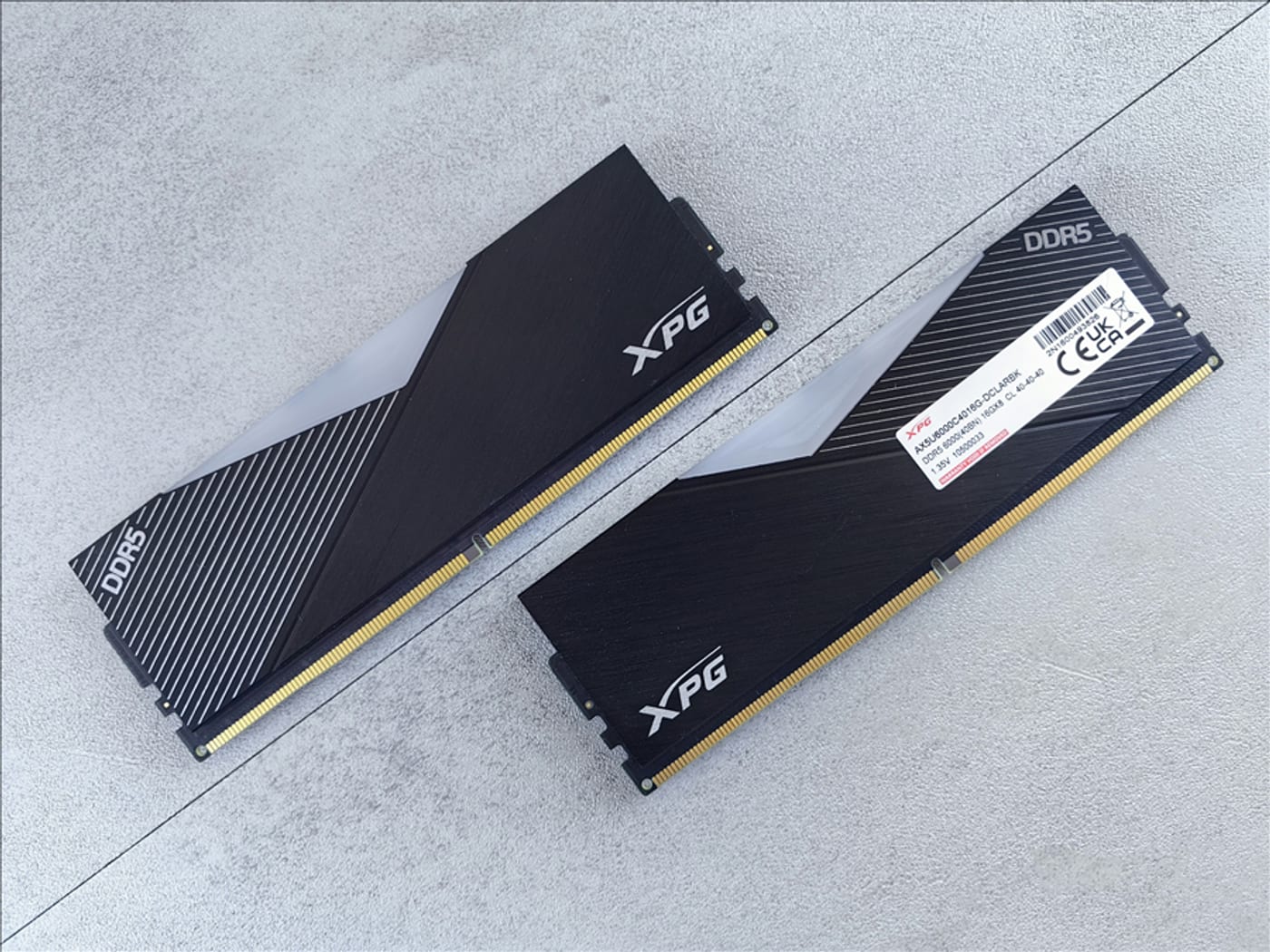
RAM is the easiest component to get right and the easiest to overthink. The good news: DDR5 prices have collapsed since the early days, and a quality 32GB kit now costs what 16GB used to. The bad news: marketing still confuses people with speed numbers that barely matter. Here's the honest guide to buying memory for your UAE build.
Capacity: 32GB is the new standard
In 2026, 16GB is the minimum for comfortable gaming — but modern titles and Windows itself will happily eat it. 32GB (2x16GB) is the correct amount for any new build. It handles gaming with a browser and Discord open, future-proofs you for the next few years of game releases, and costs only slightly more than 16GB did in 2023. Go 64GB only if you do serious video editing, 3D work, or run VMs. Don't buy a single 32GB stick — two sticks run in dual channel and give you significantly better performance.
Speed and latency: the numbers that actually matter
For DDR5 on AM5 (Ryzen 7000/9000): 6000MT/s with CL30 is the sweet spot. This is the "memory sweet spot" for Ryzen because it lets the CPU's Infinity Fabric run at its ideal 1:1 ratio. Faster kits (6400, 7200+) cost more and often need manual tuning to actually help — and sometimes run SLOWER than 6000 if the fabric drops to 2:1.
For Intel (LGA1700/LGA1851): 6000–6400MT/s CL32–36 is fine, and Intel benefits slightly more from higher speeds. Still, the real-world gaming difference between a 5600 and 6400 kit is a few percent at most.
Ignore the RGB marketing and the "8000MT/s!" headlines. A 6000 CL30 kit from a reputable brand beats a random 7200 kit in most real builds.
EXPO vs XMP — one sentence each
EXPO is AMD's one-click overclock profile, XMP is Intel's. Modern motherboards read both, but buying an EXPO-rated kit for an AMD build (or XMP for Intel) is the safest path to full rated speed. Either way: after installing RAM, go into BIOS and enable the profile — without it, your expensive RAM runs at a slow default speed. This is the #1 RAM mistake in new builds.
Best picks by budget (UAE prices, verified Aug 2026)
32GB 6000MT/s CL30 kits — the mainstream pick
Here's the reality check: 32GB (2x16GB) DDR5-6000 CL30 kits are running 1,600–2,400 AED in the UAE right now, because 2026's memory shortage pushed prices up hard. Verified listings: Adata XPG Lancer Blade 32GB 6000 CL30 around 1,616 AED (best value we found), Kingston Fury Beast 32GB 6000 CL30 around 1,775–2,009 AED, G.Skill Ripjaws M5 RGB 32GB 6000 CL36 around 2,169 AED. These move weekly — check current prices before buying.
16GB kits — only if the budget absolutely demands it
16GB DDR5-6000 kits run roughly 800–1,200 AED in the UAE right now. With prices this high per GB, 32GB is the smarter buy — the per-GB price is better and you'll avoid upgrading in a year when RAM is even pricier.
What the LTT community says
The Linus Tech Tips forum build guides have been consistent on memory for years, and 2026 is no different:
- DDR5-6000 CL30 is the community default — LTT's build guides spec DDR5-6000 with CL30–CL36 timings for nearly every gaming build, AMD or Intel. That's exactly the recommendation in our picks below.
- 32GB is the accepted standard — forum consensus moved to 32GB for new builds years ago; 16GB is now considered entry-level.
- EXPO for AMD, XMP for Intel — the forum's standard advice: buy the matching profile kit and enable it in BIOS, or your RAM runs at base speed.
UAE buying tips
- Check motherboard QVL lists — motherboard manufacturers test specific RAM kits and publish compatibility lists. A kit on the QVL is guaranteed to hit rated speed; an untested kit usually works but can need manual tuning.
- Beware fake "RGB" listings at suspicious prices — RAM is heavily faked on marketplaces. Buy from Amazon-verified sellers or reputable UAE shops (Microless, Gear-up).
- Dubai heat doesn't matter for RAM — unlike SSDs, DDR5 runs fine at ambient temps; you don't need special cooling unless you're overclocking hard.
- Keep the box and receipt — RAM is the most-returned component; a dead stick happens and warranty swaps are easy with proof of purchase.
Verdict
Buy 32GB (2x16GB) DDR5 6000MT/s CL30 from a known brand — Kingston, Corsair, G.Skill, Adata, or TeamGroup — and enable EXPO/XMP in BIOS after building. That's the entire RAM decision. And given the 2026 memory shortage, buy sooner rather than later — prices have trended up all year.
Related guides
- Best Gaming CPUs in 2026 (UAE) — AM5 builds pair best with 6000 CL30
- Best Power Supplies in 2026 (UAE) — the other boring part that matters
- How to Build Your First Gaming PC — RAM installation step included